The Policy and Accounts pages give you access to the latest policy and account data that is available in the Betterview platform. In order to use this system, you must provide a policy number at a minimum.
You can select to view a property in one of the following ways:
- Searching with the address, policy, account or external ID
- Obtaining a link via the Betterview API or EDW
- Clicking a link on the PropertyAction dashboard
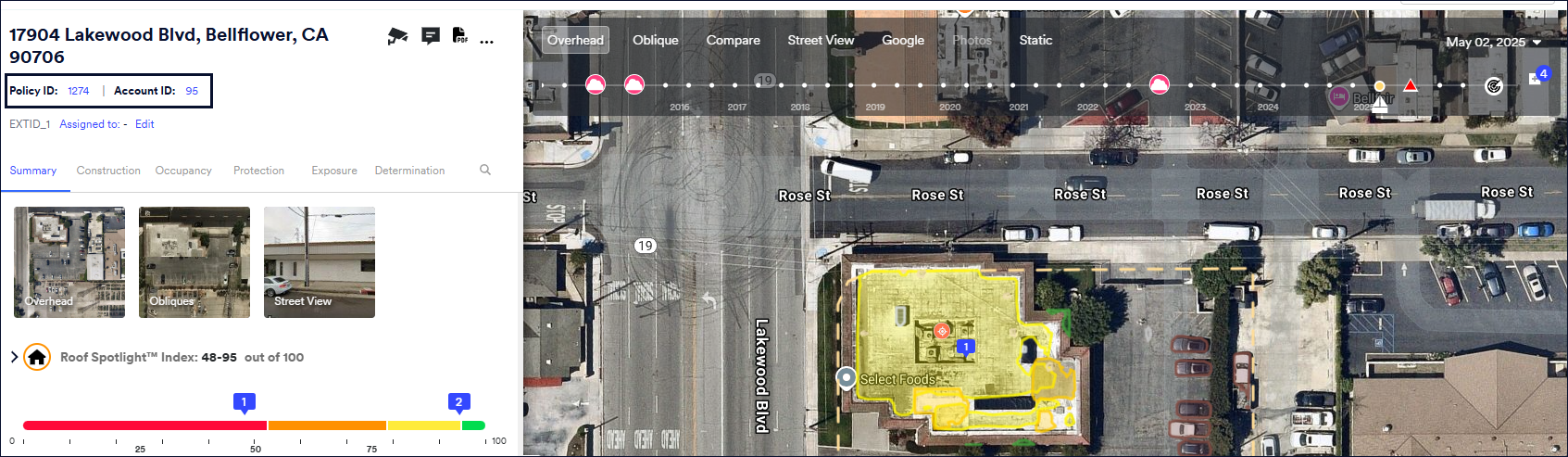
The property page displays the Policy Number and Account Number below the address. Click the ID for the account (for example Acct1234 or Acct_1234) policy (for example, SWP12345) to view the Account/Policy page, respectively. An account can have multiple policies, and a policy can have multiple locations; so, the account shows one or more policies, along with their locations, and the policies show one or more locations.
A policy or account can have only one profile for a property, and any duplicates are removed when you bulk upload your portfolio. This provides an accurate view of your portfolio.
Viewing Account Information
Account information
Account pages in Betterview present:
- Account Name
- Account Number
- Account Nickname
- Account details including:
- Creation and last updated dates
- Business name

Aggregates by Account
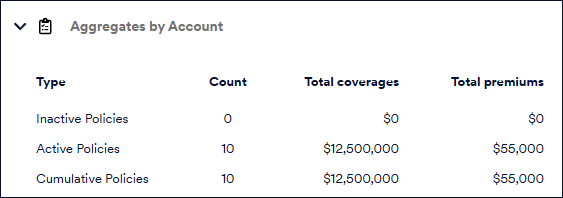
This section displays the aggregate of the different policy types associated with the account, the number of each policy type, total coverage amounts and total premium for each policy type.
Roof Spotlight Index (RSI)
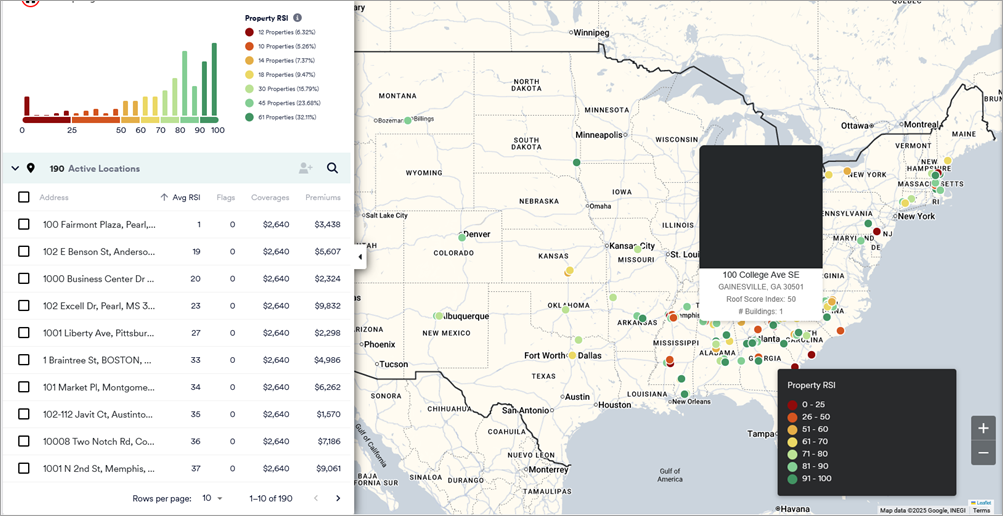
This section displays the minimum RSI at the account level based on the RSI of the worst scoring building on the property. For more information about RSI, see this article.
Policies
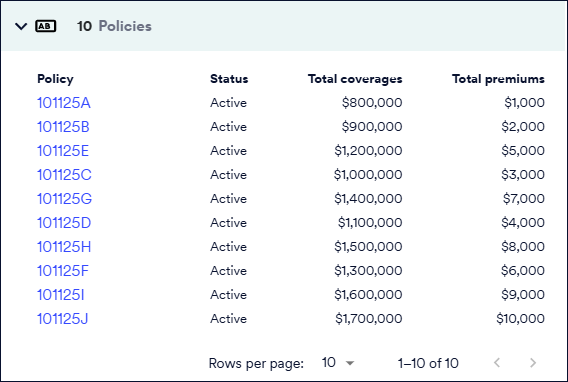
This section lists the policy for this account and includes the policy number, status, total coverages and premiums. Click on the Policy Number to view details of each policy.
You can use the same policy for multiple properties, but that policy can only be attached to one account.
Location list and Map view
This section displays the number and addresses of the active locations in the account along with the minimum RSI based on the RSI of the worst scoring building on the property, Flags, Coverages and Premiums for each address. The right side displays the map view as you click through each address.

Viewing Policy details
Policy information
Policy pages in Betterview present:
- Policy Number
- Account Number of the account linked to the policy
- Policy status
- Policy details including:
- Policy Number
- Issuance and expiration dates
- Effective date
- Policy term

You can use the same policy for multiple properties, but that policy can only be attached to one account.
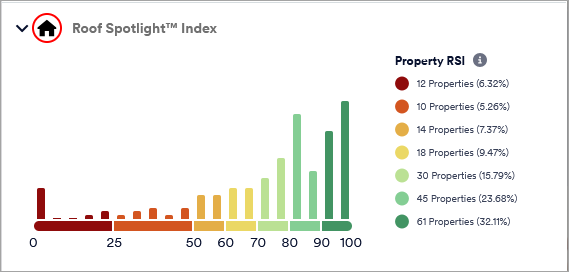
Roof Spotlight Index (RSI)
The Policy page displays the RSI scores for the buildings at the addresses that are listed in this policy based on the minimum RSI of the worst scoring building on the property. For more information about RSI, see this article.
Location list and Map view
This section displays the number and addresses of the active locations in the policy along with the minimum RSI based on the RSI value of the worst scoring building on the property, Flags, Coverages and Premiums for each address. The right side displays the map view as you click through each address. This section can be used to get an overview of the policy.